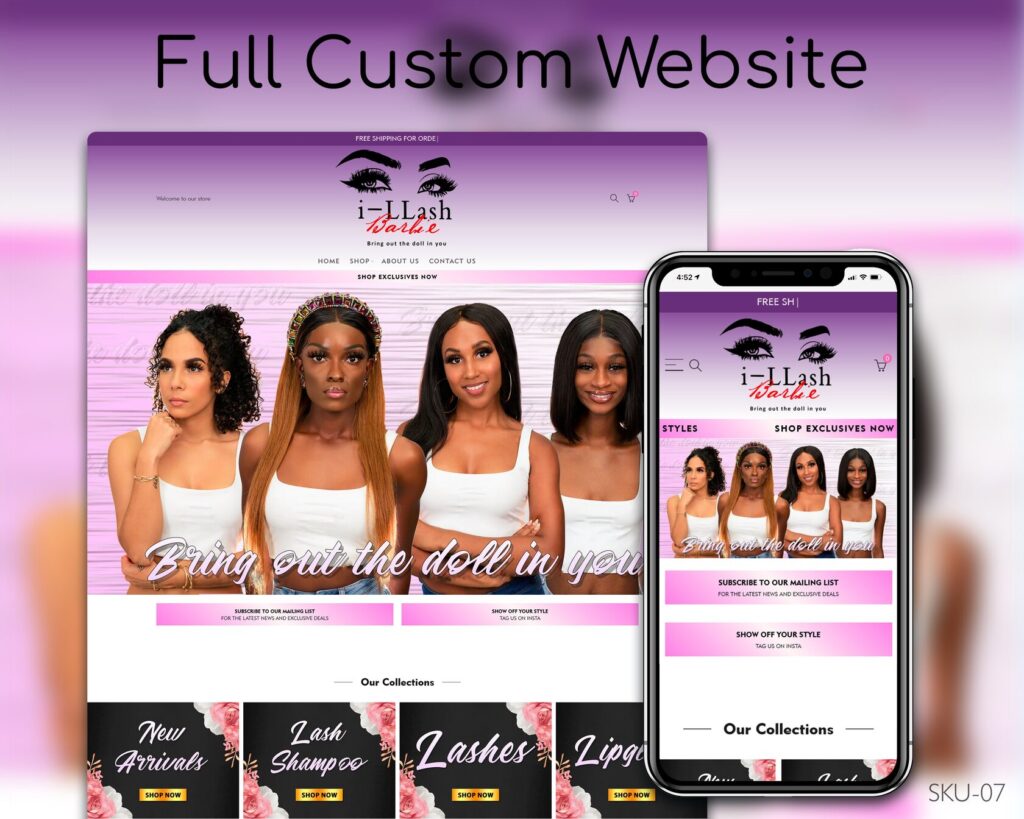
Most lash techs start on Instagram — and that works, until your DMs are full of “how much?” and “do you have anything Saturday?”. A lash tech website answers those questions before they’re asked and lets clients book while you’re working on someone else. Here are the ten things every lash website needs, in the order clients look for them.
In this guide
- A clear first screen
- Services and prices
- Online booking
- A real gallery
- Policies and deposits
- Aftercare
- Reviews
- About you
- Location and hours
- A small shop (optional)
- Mistakes that cost lash techs bookings
- Getting found by new clients
- Gift cards and referrals
1. A clear first screen
In three seconds a visitor should know what you do, where you are and how to book. A great lash homepage hero has a close-up of your best set, one short line (“Classic, hybrid and volume lashes in Austin”) and a single Book now button. Avoid sliders with five messages — nobody waits for slide three.
2. Services and prices
List each service with its price and time: classic full set, hybrid, volume, mega volume, fills, removals, lash lift. Clients compare prices before they message you, so hiding them costs bookings. Add one line per service explaining who it’s for — “Volume: fuller, fluffy look, great for special events”.
3. Online booking
This is the heart of a lash website. Connect a booking calendar so clients can pick a service, see free times and pay a deposit in one go. On Wix this is built in; on Shopify and WordPress there are reliable booking apps. Put the booking button in the header so it’s always one tap away on a phone.
4. A real gallery
Show your own work, not stock photos. Group photos by style — classic, hybrid, volume, colored lashes — so clients can point to exactly what they want. Before-and-after pairs work especially well. Keep images light so the page loads fast on mobile data.
5. Policies and deposits
A clear policy page protects your time: deposit amount, cancellation window, late arrivals, fill timing, what to do before the appointment (no mascara, come with clean lashes). Link it from the booking page so clients agree to it before they book.
6. Aftercare
An aftercare section — what to avoid for the first 24–48 hours, how to clean lashes, when to book a fill — cuts down on repetitive questions and helps retention. It’s also great content for Google, because clients search for it.
7. Reviews
Add three to six short reviews with first names and, if possible, a photo of the set. Screenshots of happy DMs work too. Reviews near the booking button lift conversions noticeably.
8. About you
People book a person, not a business. A short “About” with your photo, your training and certifications, and why you love lashes builds trust — especially for new clients who found you on Google instead of Instagram.
9. Location and hours
Show your neighborhood or address, parking tips and opening hours. If you work from a suite or home studio, explain how to find you. This also helps you appear in local search results.
10. A small shop (optional)
Many lash techs sell aftercare kits, lash shampoo, strip lashes or gift cards. A small shop adds income without extra appointments. Start with two or three products you already recommend.
Mistakes that cost lash techs bookings
- “DM for prices”. Many clients won’t ask — they’ll book someone whose prices are visible.
- Booking only through Instagram. Every message you answer late is a client who may have booked elsewhere.
- No deposit. Lash appointments take one to three hours; a no-show without a deposit is lost income.
- Old or filtered photos. Clients want to see real, recent sets in natural light.
- No fill policy. Say clearly how many weeks count as a fill and when it becomes a new full set.
- Slow pages. Huge photos make the site crawl on mobile data; compress them before uploading.
Getting found by new clients
Instagram brings people who already follow you; Google brings people who are searching right now. To show up for searches like “lash extensions near me” or “volume lashes in Dallas”:
- Mention your city and neighborhood naturally on the homepage and services page.
- Use clear page titles such as “Lash Extensions in Dallas | Your Studio”.
- Create a free Google Business Profile in the “Eyelash salon” category and link it to your website.
- Ask happy clients for Google reviews right after the appointment.
- Add an aftercare page and answer common questions — these pages bring steady search traffic.
Read more in How to get your beauty business found on Google.
A simple weekly routine
Once a week: add two or three new photos to the gallery, check that prices and availability are current, and reply to new reviews. Ten minutes a week keeps the site fresh for clients and for Google.
Gift cards and referrals
Gift cards are an easy extra for lash techs: clients buy them for birthdays, holidays and bridal parties, and many recipients become regular clients. Add a gift card product to your site and promote it in November, December and before Valentine’s Day. Pair it with a simple referral offer — “Refer a friend, you both get $10 off your next fill” — and your existing clients start bringing new ones without any ad spend.
Lash website designs you can launch this week
You don’t need to start from a blank page. These ready-made layouts already include services, booking and a gallery — they just need your branding:
- Lavish Lashes in Royal Purple — lash brand store with collections for lashes and aftercare
- Beauty Services Studio — booking-first layout for lashes, brows and facials
- Rose Gold & Black Lash Studio — book appointments and sell lash products on one site
See all ready-made designs or compare packages and prices. Most sites are live in 3–5 business days.
Frequently asked questions
Do I need a website if I already have Instagram?
Instagram brings attention; a website turns it into bookings. It answers prices and availability instantly and lets clients book at 11 pm without messaging you.
Which platform is best for a lash tech?
If you mainly take appointments, Wix is the easiest. If you also sell products, Shopify is stronger. WordPress fits if you want full control.
Should I take deposits online?
Yes. A deposit at booking cuts no-shows dramatically and most booking tools support it.
How many photos should my gallery have?
Twelve to thirty strong, varied photos are plenty. Quality beats quantity — remove anything blurry or outdated.