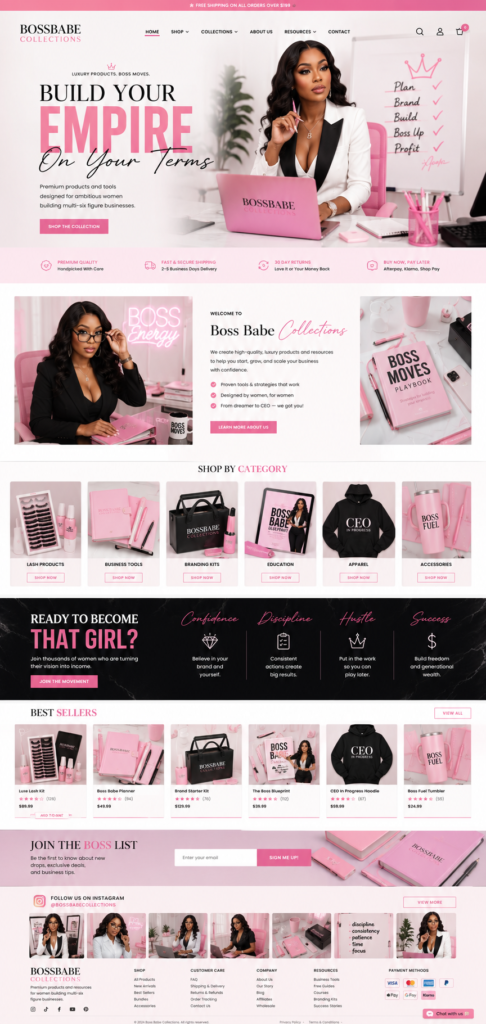
If you run a lash studio, a hair brand, a nail salon or a small boutique, sooner or later you ask the same question: how much should a website cost? Quotes online range from “free” to several thousand dollars, and it’s hard to tell what you actually need. This guide breaks the cost into clear parts so you can plan a realistic budget — and avoid paying for things a small beauty business doesn’t use.
In this guide
- The two kinds of cost: one-time and monthly
- Design and setup
- Platform fees: Shopify, Wix, WordPress
- Domain, email and apps
- Hidden costs to watch for
- Three example budgets
- What you actually get for the money
- How to know your website is worth it
- FAQ
The two kinds of cost: one-time and monthly
Every website has two kinds of expenses. One-time costs are what you pay to get the site designed, built and launched. Monthly or yearly costs are what keeps it online: the platform plan, the domain, and any paid apps. Many owners only compare the first number and get surprised by the second, so always ask for both.
A simple rule: the one-time cost buys you a site that looks professional and sells; the monthly cost should stay small enough that the site pays for itself with a few bookings or orders a month.
Design and setup
This is the biggest variable. Roughly, small businesses choose between three routes:
- Do it yourself with a free template. Cheapest in money, most expensive in time. Most owners spend weeks fighting with layouts and still end up with a site that looks like everyone else’s.
- A ready-made design adapted to your brand. A finished, tested layout is set up with your logo, colors, photos and text. This is the fastest and most affordable professional option — usually a few days, not weeks.
- A fully custom design. Layouts made from scratch for your brand. Worth it when you need special features or a very distinct look, but it costs more and takes longer.
For reference, at Eve Site Design the three options are fixed prices: Ready-Made $67 (a catalog design set up with your branding, 1 revision round), Customized $149 (layouts reshaped to your brand, booking or shop setup, basic SEO, 2 rounds) and Custom-Built $299 (a design used only as a starting point for a fully original site, 3 rounds). All are delivered in 3–5 business days. You can compare them on the pricing section.
Agencies often charge $1,500–$5,000 and more for a small site. That can make sense for a large company, but a solo beauty pro rarely needs a team of five to launch a booking or product site.
Platform fees: Shopify, Wix, WordPress
The platform is where your site lives. Each one charges differently:
- Shopify — a monthly plan that includes hosting, security and checkout. Best if you sell products: hair bundles, lashes, lip gloss, clothing. Payment processing fees apply per order.
- Wix — a monthly or yearly plan. Very easy to edit yourself and great for service businesses that need a booking calendar and a nice gallery.
- WordPress — the software is free, you pay for hosting. Most flexible and often cheapest long-term, especially with WooCommerce for a shop.
Prices change often, so check each platform’s current plans before you decide. If you’re unsure which fits, read Shopify vs Wix vs WordPress for a beauty business.
Domain, email and apps
A domain (yourbrand.com) usually costs around $10–20 a year. A professional email on your domain is optional but builds trust; budget a few dollars a month. Apps are where costs can creep up: booking tools, reviews, upsells, loyalty programs. Start with only what you need on day one — you can add the rest once the site is earning.
Hidden costs to watch for
- Paid themes you didn’t need, plus the work to set them up.
- Unlimited “small” changes billed by the hour after launch. Ask how revisions work before you start — a clear revision policy like this one saves arguments and money.
- Photos. Good images sell more than any design trick. Use your own work photos where possible.
- Maintenance. WordPress needs updates; Shopify and Wix handle most of that for you.
Three example budgets
Lash tech or nail tech starting out
Ready-made design on Wix with a booking calendar, a domain and no paid apps. One-time: under $100 for design. Monthly: the Wix plan plus about $1–2 for the domain.
Hair extension or wig brand selling online
Customized Shopify store with collections by texture, reviews and pay-later checkout. One-time: $149. Monthly: the Shopify plan plus one or two apps.
Established salon or brand with special needs
Custom-Built site with a unique layout, booking and a shop. One-time: $299. Monthly: platform plan plus the apps you choose.
What you actually get for the money
Two quotes for “a website” can describe very different things, so compare what’s included rather than the headline price. Before you pay, check that the price covers:
- Setup on your platform — not just a design file you have to install yourself.
- Your content added — logo, colors, photos, services or products and texts, not placeholders.
- Mobile layout checked on real phones, since most of your visitors will be on one.
- Essential pages — home, services or shop, about, contact, policies.
- Revision rounds — how many, and how long each one takes.
- Basic SEO — page titles, descriptions and a sitemap so Google can find you.
- A short handover — how to change prices, photos and texts yourself.
A cheaper quote that leaves out content entry or mobile checks often ends up costing more in time — yours.
How to know your website is worth it
The easiest way to judge the cost is to count what the site brings back. Take your average booking or order value and ask: how many extra clients a month would cover the monthly cost? For most beauty businesses the answer is one or two. A lash tech charging $150 for a full set covers a year of platform fees with a handful of extra bookings.
Track it simply: ask new clients “how did you find me?”, look at bookings and orders that came through the site, and check Google Search Console once a month to see which searches bring visitors. Within a few months you’ll know whether the site pays for itself — and where to improve it.
Where to save, and where not to
Save on paid themes, unnecessary apps and features “for later”. Don’t save on photos of your work, a clear booking or checkout flow, and mobile speed — these three decide whether visitors become clients.
Want a clear quote?
Browse the ready-made designs, pick one you like, and choose a package. Not sure? Send a message and you’ll get a plan and an exact price within 24 hours.
Frequently asked questions
Can I build a website for free?
You can start on a free plan, but free plans usually show the platform’s ads and don’t allow your own domain or online payments. For a business, a paid plan is worth it from day one.
Is a cheap website worse than an expensive one?
Not necessarily. Price mostly reflects how much is custom. A well-made ready-made design with your branding often converts as well as an expensive custom site.
Can I pay for my website in installments?
Yes — at Eve Site Design you can pay in 4 with Klarna or Afterpay at checkout.
How long does it take to build?
Ready-made and customized sites are usually live in 3–5 business days after you fill in the short questionnaire.